September 2015 Card Kit REVEAL!
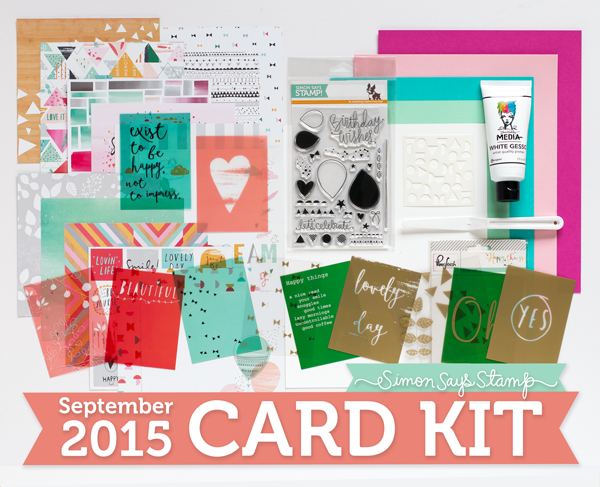
Hello everyone, it’s the 14th of the month and that means it’s time to reveal our September card kit It’s a Celebration!
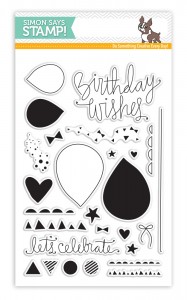
Super fun and versatile… this kit is full of amazing goodies! The cheerful 14 (6×6) papers come from PinkFresh Studio along with a pack of their 12 colored transparency cards. Add those to the festive Birthday Bits stamp set and Playful Circles stencil… and the card making possibilities of this kit become endless! Also included in the kit is a full size White Gesso from Dina Wakley and pallet knife from Ranger and five gorgeous sheets of Simon Says Stamp card stock.
I created a card featuring one of my favorite papers from the set and the Birthday Wishes greeting from the stamp set. This came together really quickly and is great for making cards on the go.
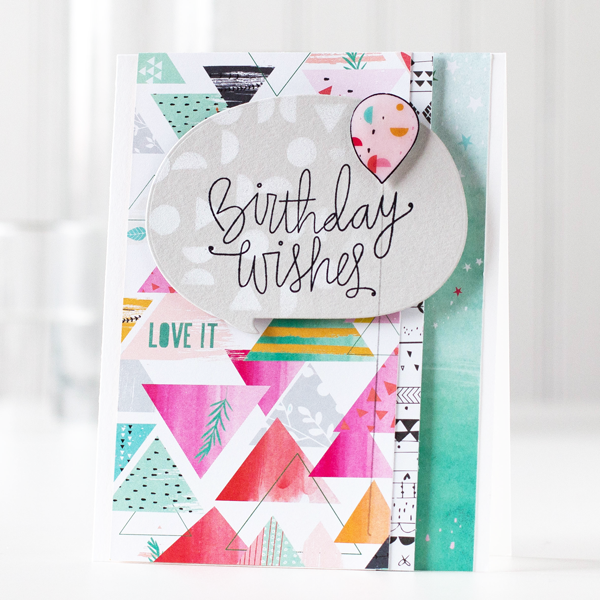
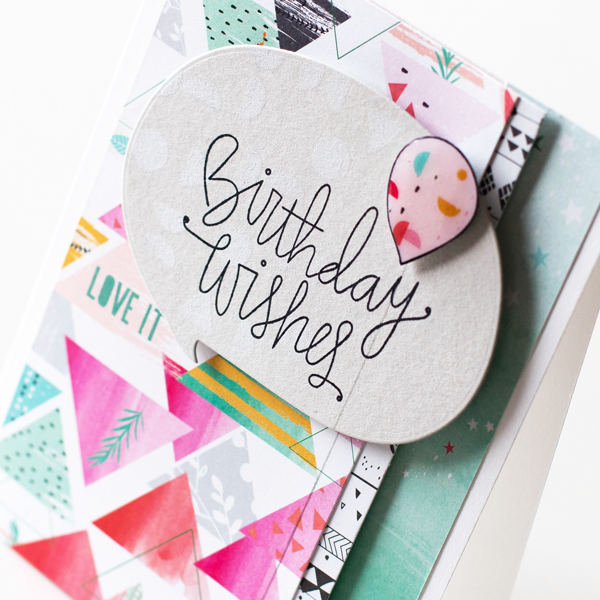
I stamped a small balloon to add to the card and covered it with Glossy Accents for a bit of shine. I also added a lighter color balloon string that extends to both layers of the card.
I’ve shot a video of the walk through showing all the contents of the kit and a how to of my card. You can view it below or on our YouTube channel.
The Birthday Bits stamp set is also available for individual purchase in our store.
Remember, you can SUBSCRIBE to our no obligation kits and receive them monthly for $ 24.95 or purchase them each month for $ 29.95, while supplies last.
If you are a subscriber who used Paypal to purchase your subscription, please be sure to pay the invoice that we send you within 3 business days. We have a limited number of this card kit in stock and don’t want you to miss out. For easier and quicker monthly processing, please contact us via email or telephone and we will put your credit card on file as a courtesy for you. Card kits bill and ship between the 17th and 27th days of every month.
Thanks for stopping by and I hope you enjoy our special card kit of the month.
|
|
 |
 |
 |
 |
 |
 |
 |
 |
 |
 |
Paint Splatter with Acrylic Block
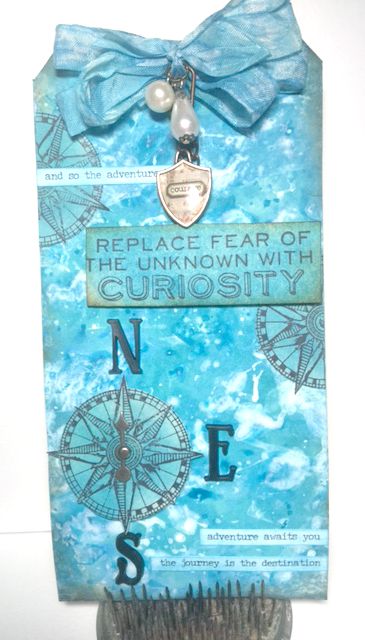
Hi readers! Happy Thursday! Please join us in a big warm welcome to our first time guest designer, Yvonne Blair! She’s created this dreamy tag using a fun technique to share with us today! Enjoy!
-
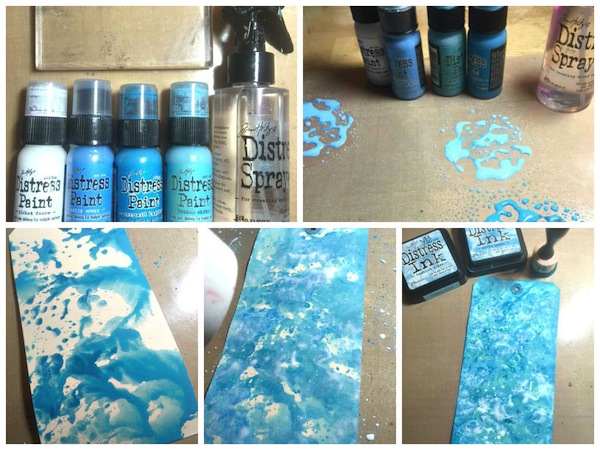
Apply Distress Paints to your craft sheet and spritz with water.
-
One color at a time pick up paint with Acrylic block and stamp it over the tag.
-
You will need to add more paint to the block as needed.
-
Dry each layer of paint with your heat tool before adding next color.
-
Once you get the paint layers the way you want them and everything has been dried with a heat tool add Distress Inks to blend all the colors together.
-
Apply a bit of Gathered Twigs to the edges to add some dimension around the edges.
Once you have your background completed embellish as you want!
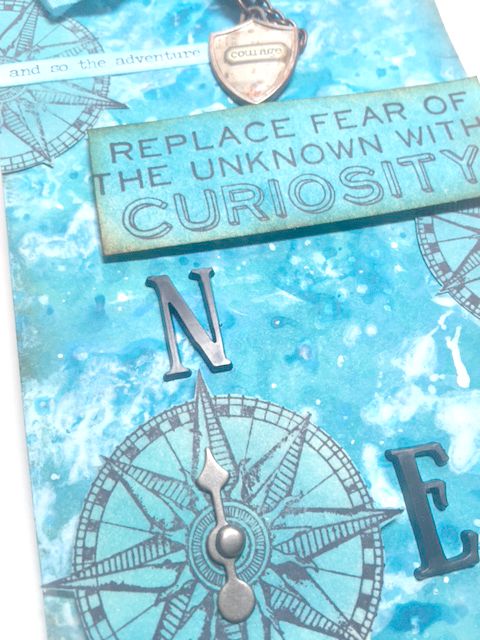
I hope you are inspired to try this technique.
Try different color paints and see what happens! This is one of my favorite ways to create a textured very dimensional background!
Thank you for letting me share a bit of creative fun with you today!
SUPPLIES:
 |
 |
 |
 |
 |
 |
 |
|
|
 |
 |
|
 |
 |
 |
 |
 |
 |
 |
 |
 |
 |
 |
 |
 |
 |
 |
Thanks for reading today, and thanks to Yvonne for being our guest!
Blog Candy Alert!! Follow our blog via email and comment on this post for a chance to win a special blog candy!
We R Memory Keepers Fuse Tool!
Have you tried it yet? I’m amazed at the fun that can be had with this tool!
So what is it you ask? It’s a heat element that fuses or welds plastic pages together. It’s really easy to use and We R Memory Keepers thought of everything when developing this Fuse Tool, they include a stand, metal ruler, cutting blade and a comfortable handle on the tool.
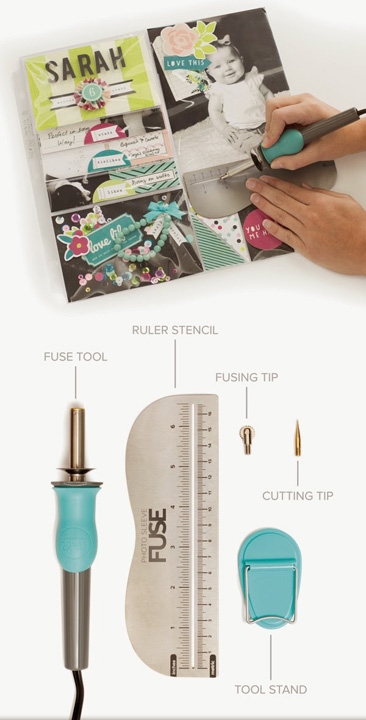
Some of the things you can create:
- pockets with your photo sleeves
- shaker cards
- pages for your planners
- custom layouts
- waterfall or cascading layouts (even on your cards!)
- and many more!
I’ve created a quick piece to show just a few things you can do, but the possibilities are limitless!!
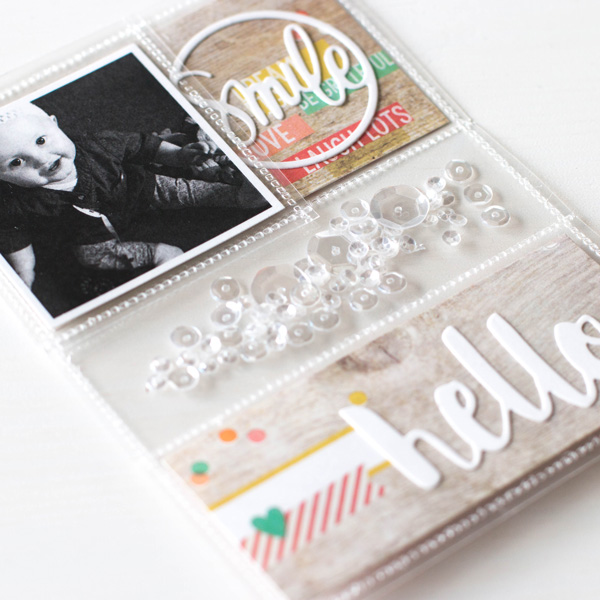
I’ve created compartments with my Simon Says Stamp Clear Storage Pockets to hold die cuts, sequins and strips of pattern paper. Then I added a photo flip pocket (much like a waterfall or cascade element). Once you get going, you’ll be fusing anything and everything!
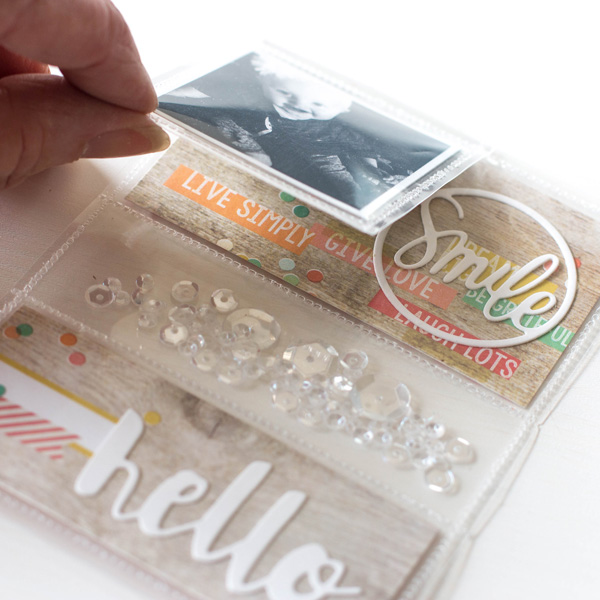
I’ve shot a video of how I use the Fuse tool to give you a basic introduction. You can view it below or on our YouTube channel.
Thanks for stopping by today, hope you enjoy!
   |