Weekender with Wanda – Hero Arts Summer Release!
Hi crafty pals! It’s Saturday, and that means it’s time for another edition of Weekender with Wanda here on the Simon Says Stamp Blog! Welcome and happy weekend! I think it’s safe to say Happy Summer too since it’s the Memorial Day Holiday Weekend! Hope you have lots of fun things planned. Today I am sharing a really bright and sunny card that reminds me of Summer…. I’m using new products from the Hero Arts 2016 Summer Catalog too. I think that’s the perfect theme for this weekend. We all love Hero Arts, right?
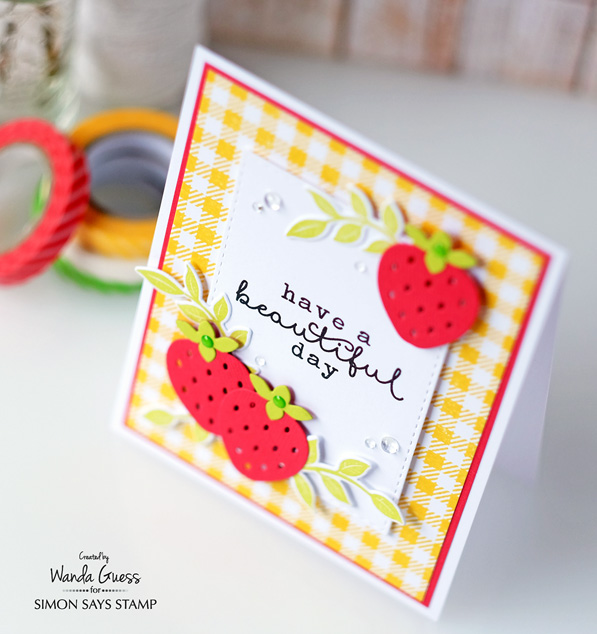
For today’s card I used the fun and fabulous Fancy Fruit Salad Dies and the beautiful “You’re So Lovely” stamp set. Then I paired those with the most perfect Gingham Background Stamp that is a Simon Says Stamp exclusive product. This card reminds me of a picnic!
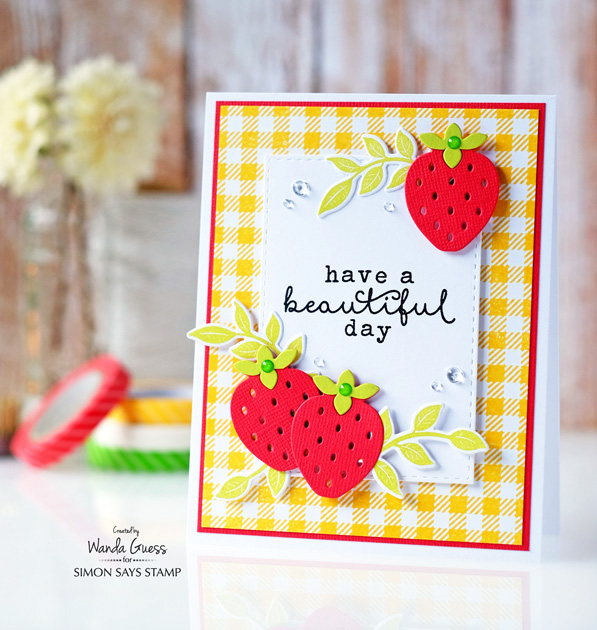
I started this card by stamping the beautiful Gingham background stamp onto nice, crisp white paper. I used the Mega Rocker Block from Impression Obsession to get a good image. If you haven’t tried that yet, I really recommend it! Then I die cut my strawberries out of red and green papers and trimmed the green to place on top for the leaves. I cut a Stitched Rectangle out of the same white paper and stamped that gorgeous sentiment in black. (Isn’t that sentiment just so perfect?)
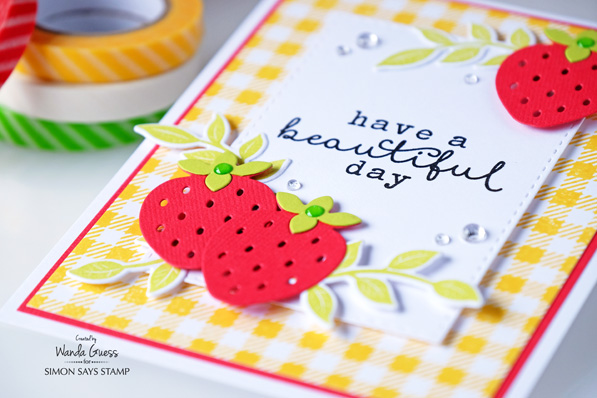
I stamped the leaves from the You’re So Lovely stamp set multiple times and cut them out with the matching dies. I wanted to layer them underneath the strawberries so I made a lot of them!
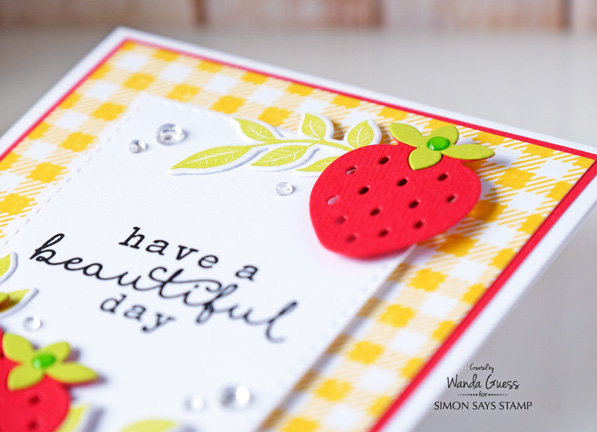
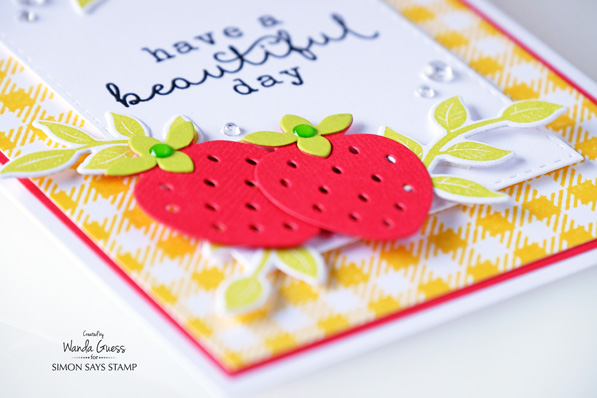
As the final touch for this card, I placed the strawberries on the card using foam squares. Then I used some Pretty Pink Posh droplets and a couple of green enamel dots. Just makes it all look fresh and juicy!
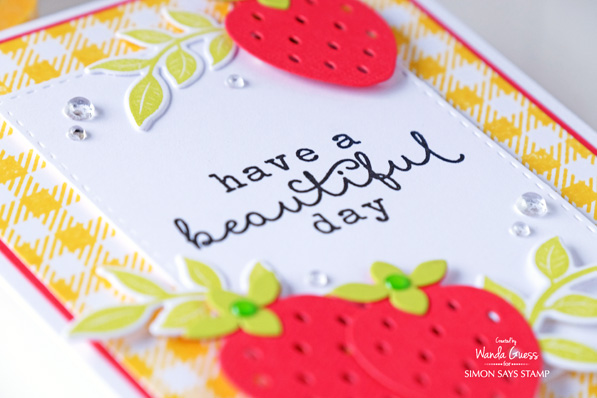
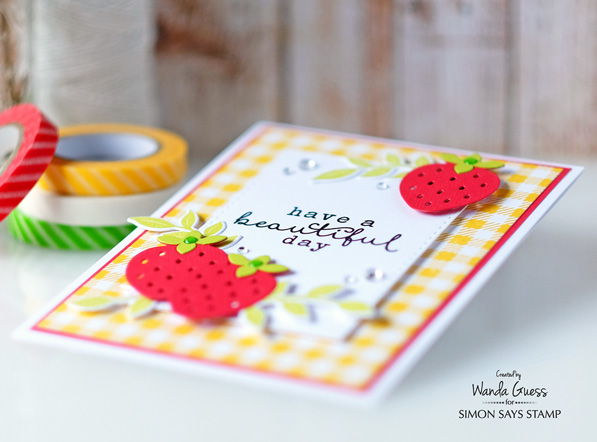
Here is a close up of the strawberries and leaves. I am loving this color combination!
So now I want strawberry shortcake! LOL. It’s one of the best things about summer – strawberry everything! We are lucky enough to have awesome farmers’ markets where I live and we can eat fresh all summer long. I hope you have a fantastic day and I’ll see you back here next weekend!
SUPPLIES:
 |
 |
 |
 |
 |
 |
 |
 |
 |
 |
 |
 |
 |
 |
 |
 |
 |
 |
 |
Going on now!
Register for class!
Announcing…. A Summer of Creative Chemistry & A Stock Up Sale!
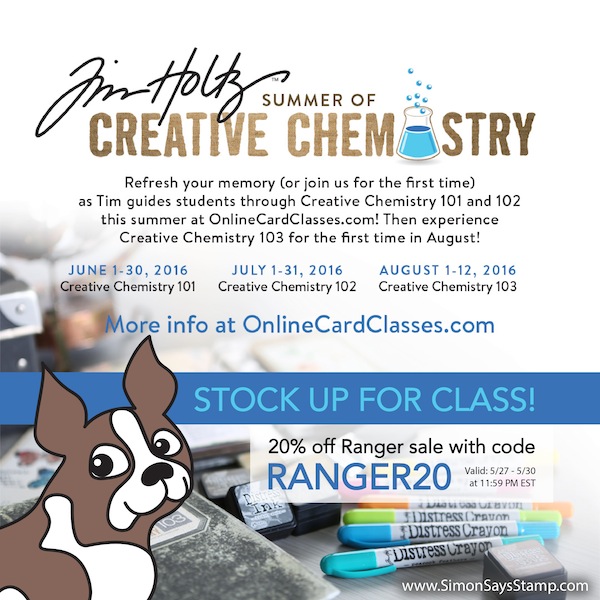
Hi friends! Happy Friday! Just a quick share to announce that Online Card Classes is having a Summer of Creative Chemistry with the always awesome Tim Holtz! Doesn’t that sound delightful? Head on over to Online Card Classes to register!
In celebration of this awesome class, we’re having a weekend long sale so you can stock up on some Ranger essentials! Enjoy! Use code Ranger20 to take 20% off all Ranger branded items this weekend only!
Enjoy!
New Tim Holtz Mixed Media Project!
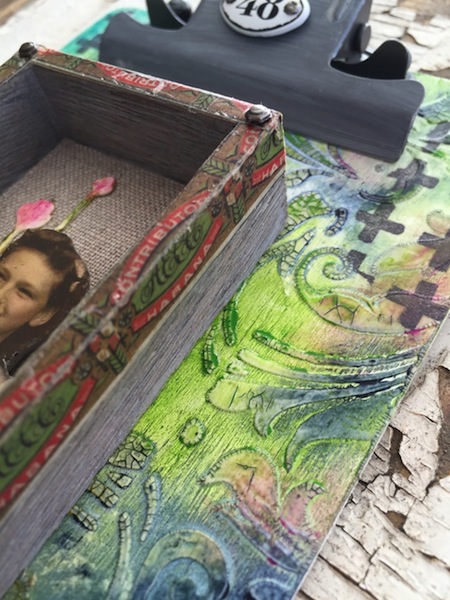
Hi friends! TGIF! We’re so happy to welcome back the fabulous Paula Cheney to our blog as a guest today! She’s made this gorgeous clipboard mixed media piece to share with us! Want to know how she made it? Read on!
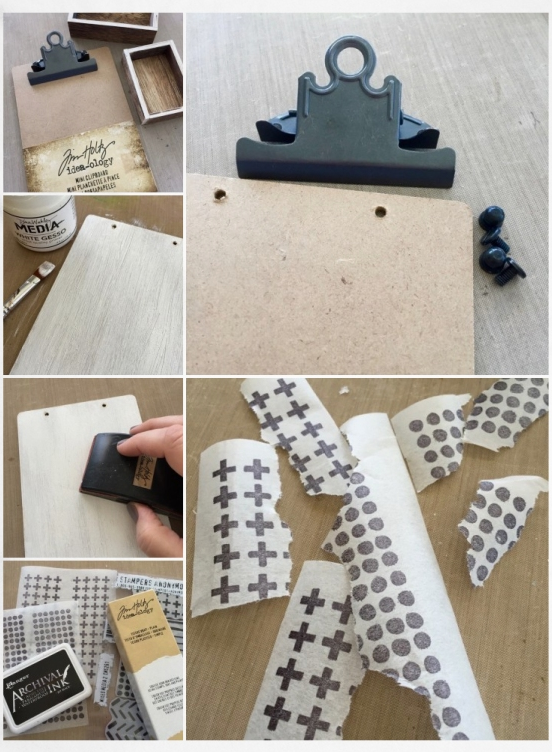
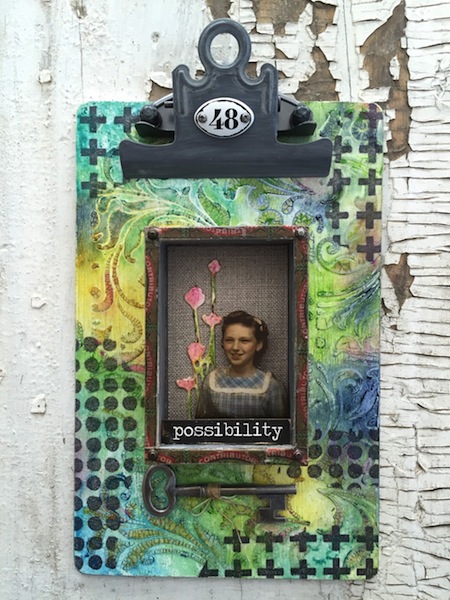
- Hi everyone! Glad to be back here on the Simon Says Blog today sharing a project using the new idea-ology Mini Clipboard today. I like the idea of making the final piece a bit more 3-d so I grabbed the smallest size from the stack of Vignette boxes.
- Remove the large clip from the Mini Clipboard. I love that the large clip is removable, leaving a hard, flat surface to work on.
- Paint a layer of Media White Gesso onto the face of the Mini Clipboard to cover the brown and give a great base to work from. Let Dry. Once the gesso is dry, lightly sand the surface with a Sanding Grip to remove any roughness.
- Plain Tissue Wrap is a product that may seem a bit daunting at first. In reality it’s easy to use and strong enough to withstand stamping, laser printing, and multiple layers of wet medium. I rolled out about 8” of Tissue Wrap and cut the length from the roll. I taped the Tissue Wrap to my craft sheet to have a flat surface for stamping then used the Mixed Media 2 stamp set and Jet Black Archival Ink to stamp directly on the surface.
- Once I created the pattern on the Tissue Wrap I ripped it into small pieces that will be used to collage onto the surface of the clipboard.
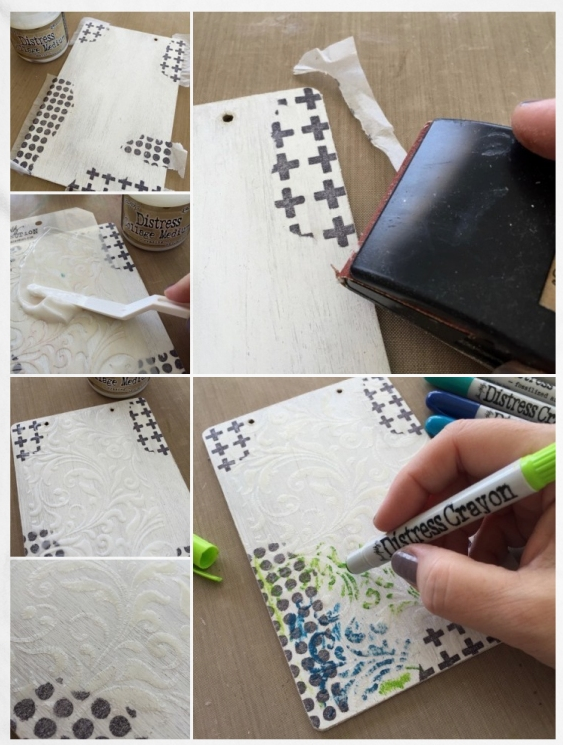
- I used Collage Medium Matte to adhere the Tissue Wrap pieces to the Mini Clipboard. The Collage Medium dries quickly so work fast once you start the collage process. Once all the pieces were adhered I added a thin layer of Collage Medium over the entire surface to seal.
- Once dry, use the Sanding Grip to remove the excess Tissue Wrap.
Lay the Tim Holtz Flourish stencil over the Clipboard. Using a Pallet Knife, drag Distress Collage Medium Crazing over the stencil. Once you have a nice even surface, remove the stencil. The thin plastic of the stencil allows you to add the perfect amount of Crazing Medium. Wash stencil immediately.- The Layering Stencil will cover a portion of the surface. If you want to add the pattern over the entire surface you will need to wait till the first stenciling is dry to the touch before repeating the technique.
- The hardest part of the project is waiting for the crazing to dry. I’ve found that it’s best for me to work on another project or do some laundry while it dries because I’m just not that patient! I like to set a timer for 1 hour and just walk away. When the Crazing is done drying it will leave tiny little cracks in the pattern reminiscent of old china.
- Once the surface is completely dry it’s easy to add color color using Distress Crayons. I’m working with blues and greens today but you can create whatever color combination you like. Start by scribbling in a small portion of the surface. Remember a little goes a long way.
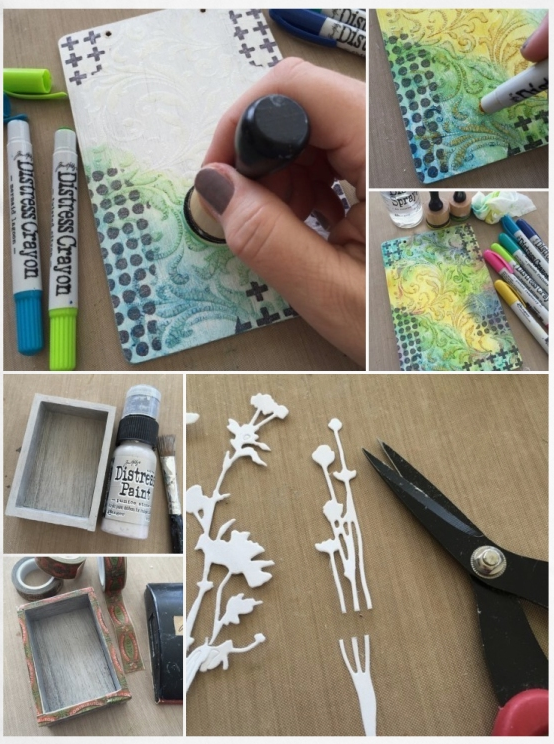
- Use a Mini Blending Tool with a clean foam pad and just a bit of water to blend the Crayon color together. The Blending Tool helps to work the Crayon into the crazing. NOTE: If the color washes away, your foam pad is too wet. Pounce off on a paper towel and start again. It’s just that easy.
- Add additional layers of Crayon to achieve a richer tone. Don’t forget that you can go back and add color directly to the crazed portion.
- The beauty of the Distress Crayons is that if you don’t like a portion or you get too heavy handed, you can just wipe it away and start over.
- Use Pumice Stone Distress Paint to paint the inside and outside of the smallest Vignette Box. Let Dry.
- I’ve added Dapper – Design Tape to the edge of the Vignette Box. Just run the tape along side the box and fold over the outside. I added a coat of Collage Medium Matte over the tape edges to secure. Once dry, I sanded the tape to make it look like a “not so perfect” old cigar box.
- I cut a few Sizzix Wildflower Thinlits in to see which might work best in the back of the little box. In the end it was the smallest of the flowers that fit. I just had to clip off the end to make them the right size.
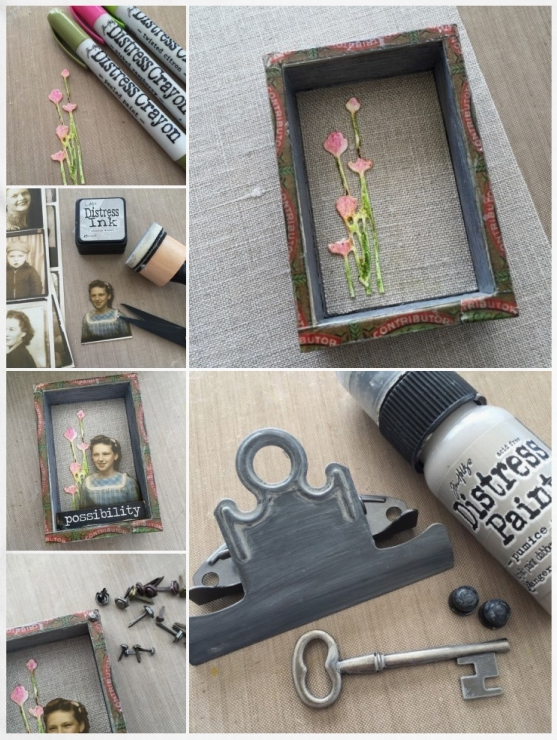
- Again, I went back to the Distress Crayons to add color to the Wildflowers.
- I cut a piece of linen from the Textured Surfaces pack for the back of the Vignette Box. I love the rough texture of the linen inside the box juxtaposed with the delicate Wildflowers.
- Cut out a photobooth picture. I chose one that was already tinted but you can tint any of the pictures with Distress Markers. Use Pumice Stone Distress Ink and a Mini Blending Tool to ink the cut edges of the picture. Pumice stone is the perfect ink color to disguise the cut edges without coloring the image. Works like magic!
- To create depth, double a thick foam square to raise the photobooth picture from the back of the box. Add a word from the Big Chat sticker book. The word “possibility” fits perfectly in the box.
- Hex Fasteners are brads that come in two sizes. I used the smallest size (clipping the legs off with my Tonic scissors) to add interest to each corner of the Vignette Box. A very small drop of Glossy Accents holds them in place.
- Add Pumice Stone Distress Paint to the large clip, its fasteners and a large Adornment Key. Once dry, add the large clip back in place and add the key below the Vignette Box. To finish it off I added a Mini Plaquette to the large clip with a foam dot.
SUPPLIES:
 |
 |
 |
 |
 |
 |
 |
 |
 |
 |
 |
 |
 |
 |
 |
 |
 |
 |
 |
 |
 |
 |
 |
 |
 |
 |
Blog Candy Alert!! Follow our blog via email and comment on this post for a chance to win a special blog candy!