
Make Gorgeous Stars with Tim Holtz Palette Fabric!
Happy Monday, friend! ‘Tis the season for festive makes, but honestly these could really be versatile beyond the holiday season! Check out this fun tutorial by special guest Richele Christensen on how fun these are to make! Enjoy!
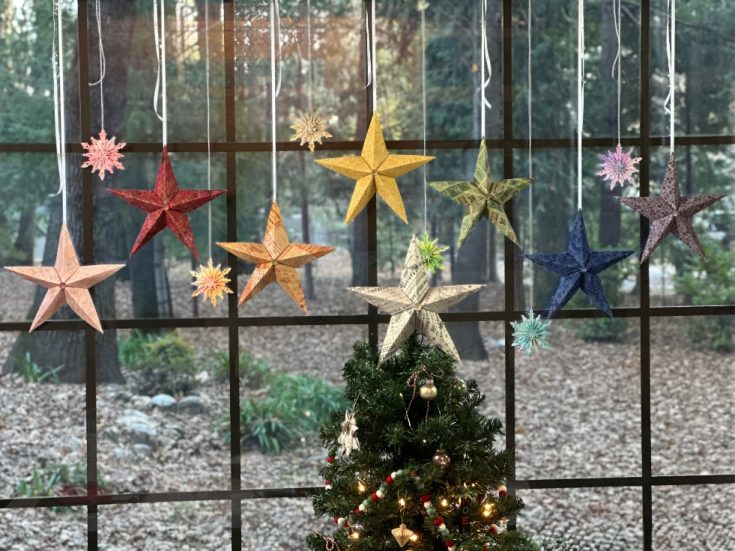
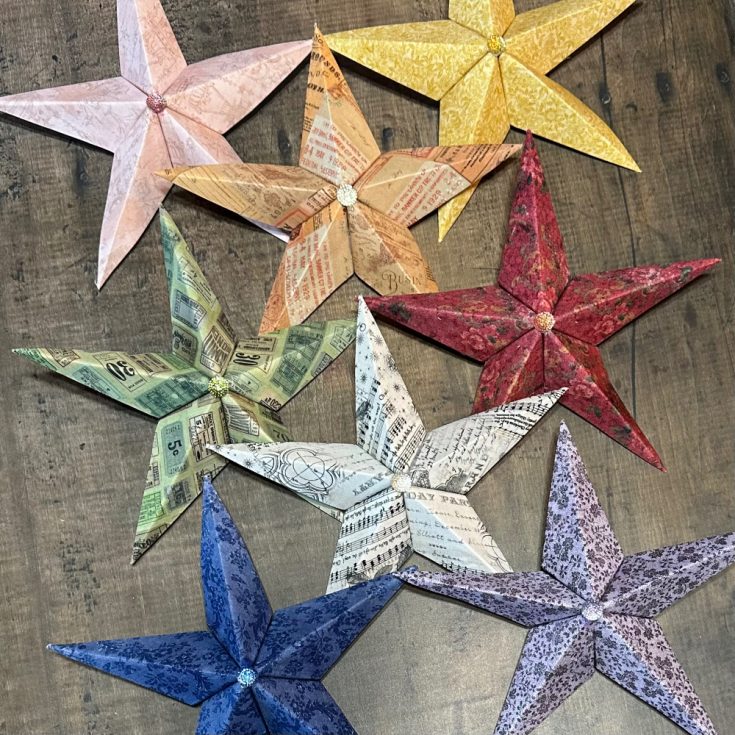
Hello friends! Today I’d like to share some fabric stars I made with the Tim Holtz Palette Fabrics in various colors and one from Palette Seasonal. There is no sewing involved and I love that they are fabric. The lightweight cardstock was perfect for the stars to give them some stability without being super thick. The Stars are also Fat Quarter friendly. Palette offers a wide array of colors and pattern so there is something for everyone.
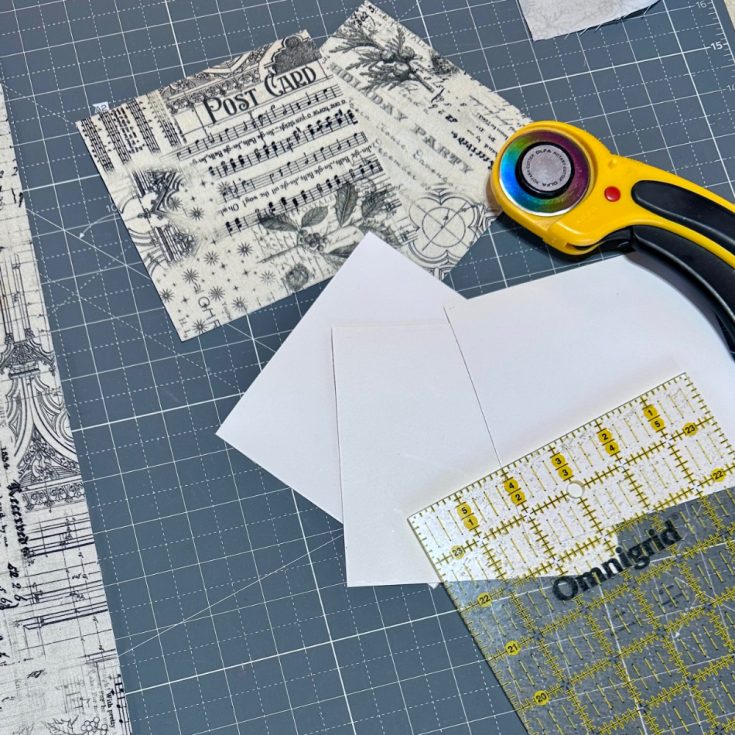
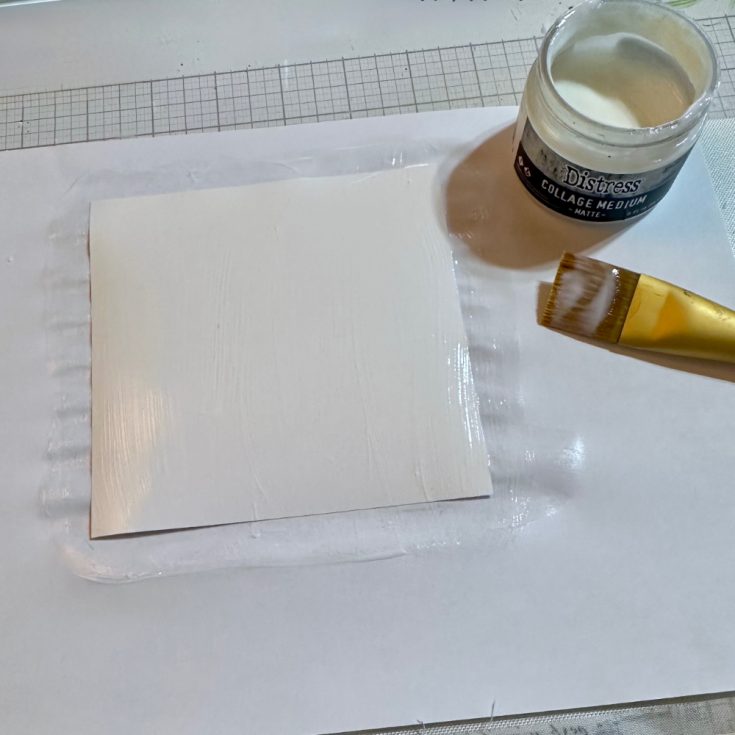
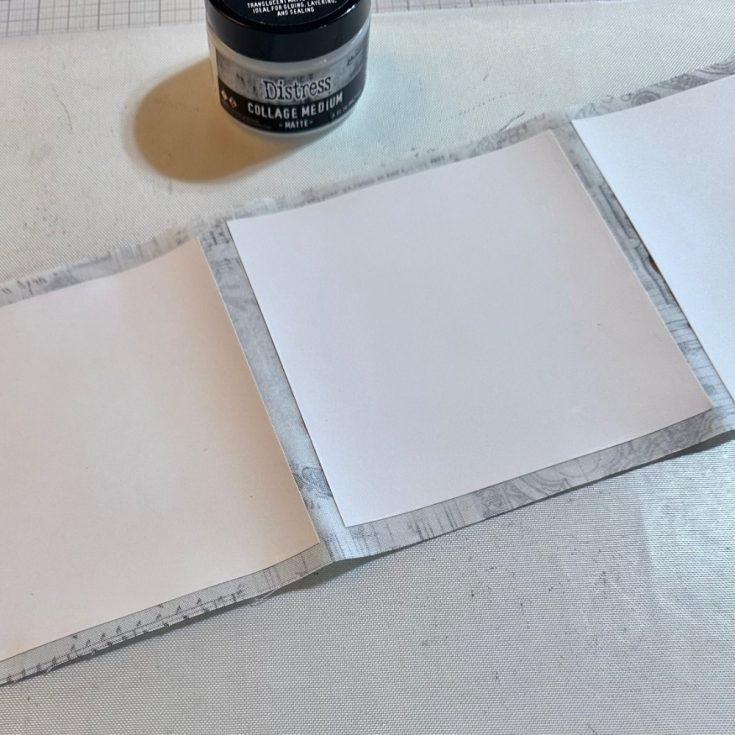
INSTRUCTIONS
- Cut out 5 squares of lightweight cardstock. I’ve used a 5” square but you can vary the size just keep it as a square.
- Using Collage Medium paint the cardstock and then place on the fabric. Use a bone folder to smooth it out.
- Do all 5 squares and let dry several minutes. Trim off excess fabric around the cardstock squares.
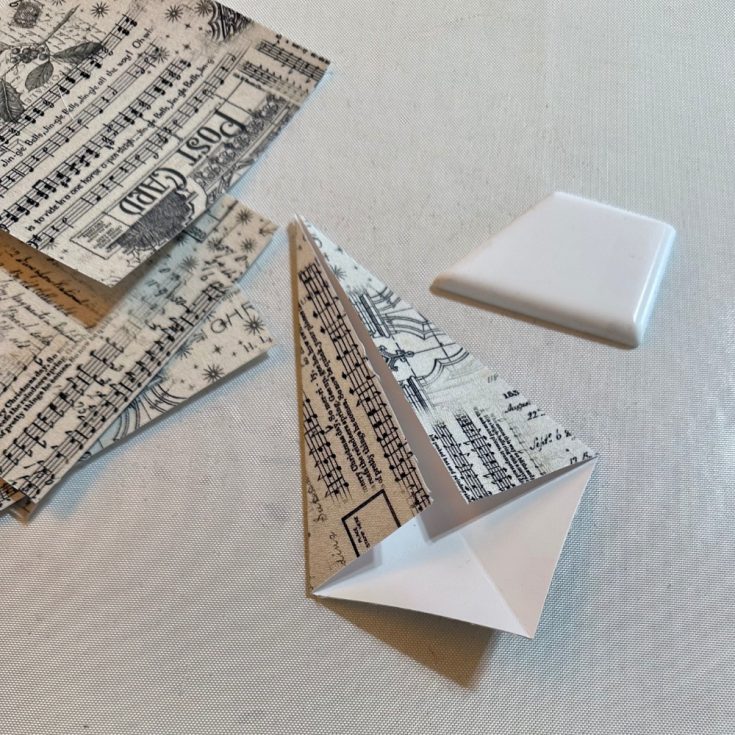
- Fold square diagonally and crease well with a bone folder. Now fold the edges in to meet at the center fold.
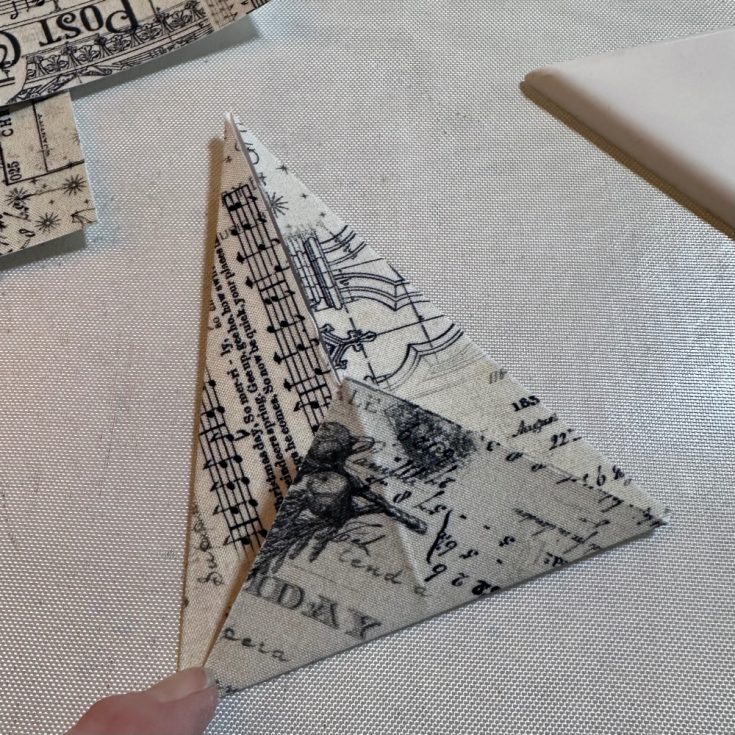
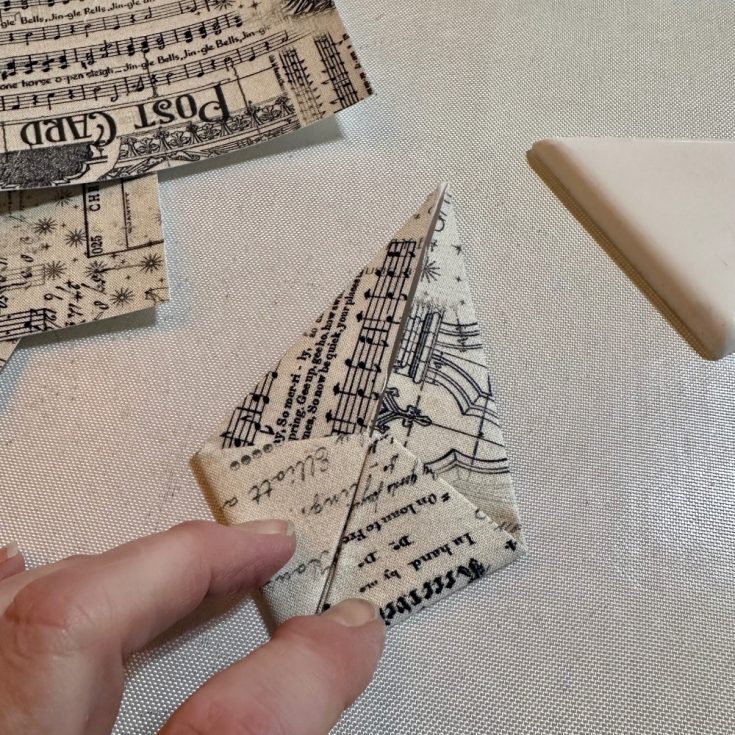
- Fold up the bottom being sure the fold is at the bottom of the previously folded section.
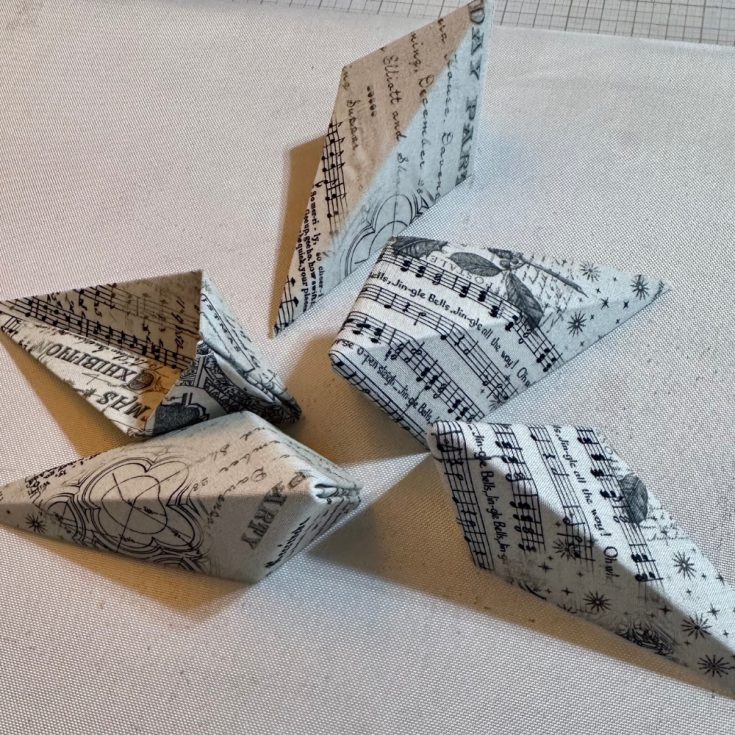
- Fold the points up to create the diamond shape. Adhere the points down with hot glue.
- Continue until all 5 pieces are folded.
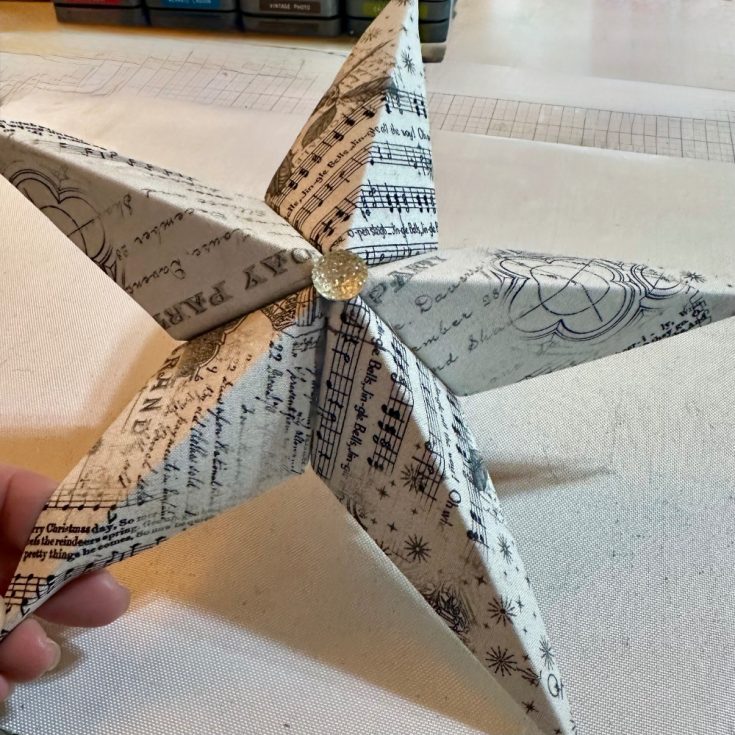
- Adhere the 5 pieces together to create the star.
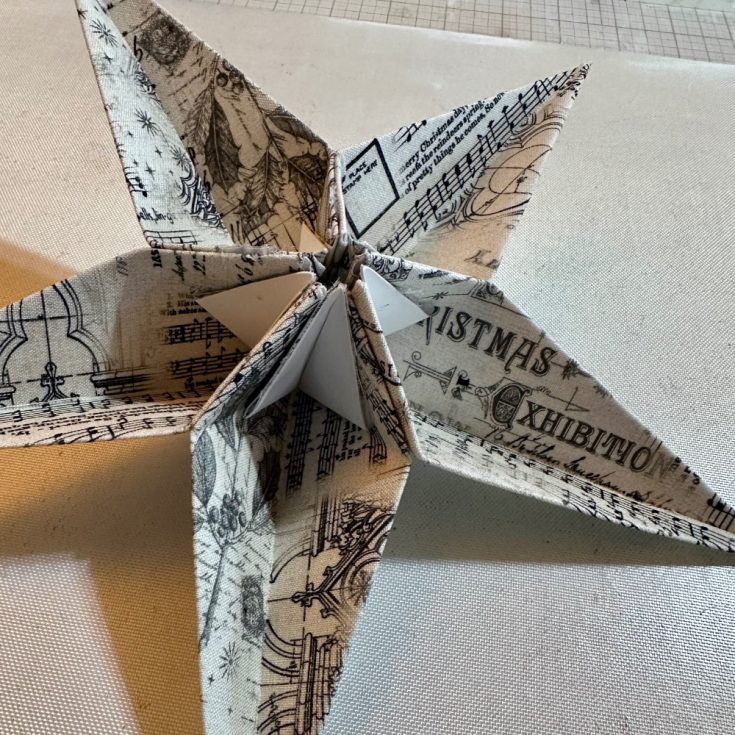
- Here’s a look at the back side for reference.
- Create as many as you’d like. They are perfect for the top of your tree, to display in a window. I also think little ones would be fun on a package. So many possibilities!
Once I made the first one and got a hang of the folding it was easy and I couldn’t stop. I hung them in my new studio window by my sewing machine and they makes me so happy when I look out the window. What color stars will you make?
Thanks for stopping by and I hope you have a wonderful Holiday season! -Richele
SUPPLIES:
|


Thanks so much for stopping by, and to Richele for being our guest!







Beautiful stars, Stephanie. The black & white is my favorite, but they are all lovely. Thank you for sharing them with us. Happy Holidays.
P.S. I have a question, in the picture of the Star backside, there’s a white piece of cardboard/heavy cardstock ‘reinforcer’ possibly? It’s not mentioned in the Instructions. Could you tell me and describe what that is, please? Thank you again, Stephanie
Oh wow these are so cool
wonderful stars
Very nice post, especially for this Christmas season. It really brings me back some sweet memories. We used to make lots of stars with students and hang them in the classrooms during Christmas celebrations. It was a fun and joyful activity in my teaching career. I love how simple and creative this idea is, and using fabric makes it even more special. Thank you for sharing such a lovely post.
These are gorgeous Richele! Can’t wait to make some!